The SQE1 app on iPad
SQE1 Prep is a universal iOS app. The same free download installs on iPhone and iPad and one subscription covers both, though progress is saved on each device rather than synced between them. In practice the two screens end up with different jobs: the phone takes the commute drilling, and the iPad takes the evening reading and the weekend mock sittings.
What the larger screen changes
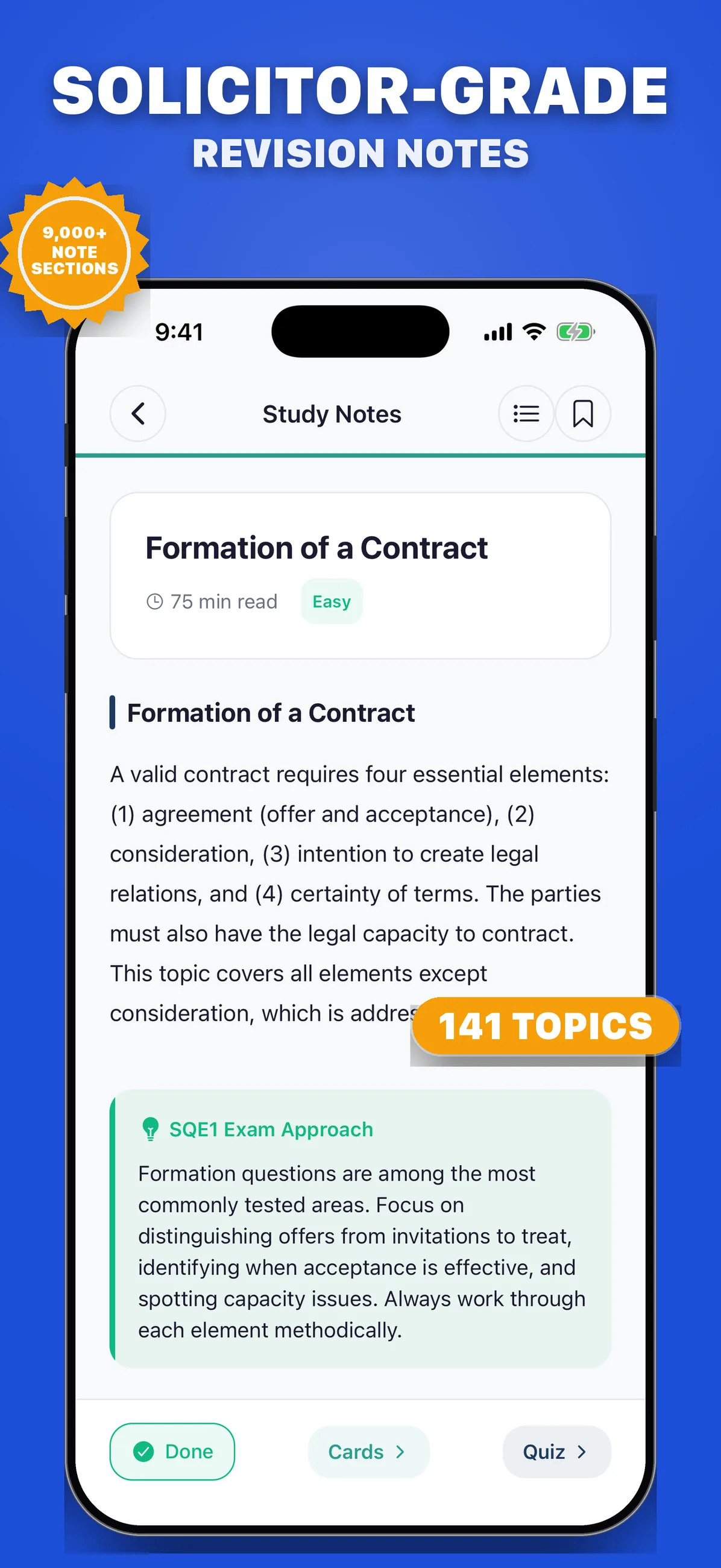
The study notes are the clearest winner. A topic like Formation of a Contract runs to a 75-minute read with statute cards and flowcharts, and that is sofa-and-iPad material rather than phone material. Flowcharts render at a size where you stop pinching to zoom, and long scenario questions sit alongside their five options without scrolling.
Mock exams belong on the iPad
The real SQE1 is sat on a computer screen at a Pearson VUE centre, so practising full papers on a screen closer to that size is better rehearsal than thumbing through 180 questions on a phone. Prop the iPad, clear five hours, airplane mode on, and the sitting feels usefully close to the real room. The result and review screens carry over unchanged, so the post-mock loop of reviewing every miss works the same on either device.
Two devices, one revision system
A shape that works: due-pile flashcards and a 20-question quiz on the phone during the day, notes on the iPad in the evening, a full mock on the iPad at the weekend. Progress is saved on each device rather than synced, so give each one a fixed job: the phone keeps your flashcard schedule and quiz record, the iPad keeps your mock results, and the readiness dial and per-subject accuracy on each screen stay meaningful for the work it carries.
Quick answers
- Do I need to pay twice to use the app on iPhone and iPad?
- No. It is one universal app: download it on both devices with the same Apple account and a single Premium subscription unlocks both.
- Which iPads does the SQE1 app support?
- Any iPad running iPadOS 15.1 or later, which covers models released from roughly 2015 onwards. The layout adapts to both orientations.